Why Sinclair Station Apps Actually Load When You Need Them Most
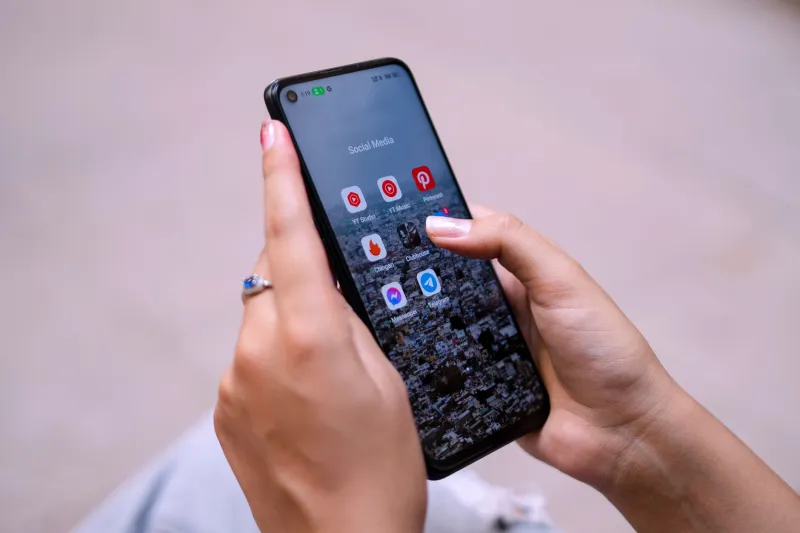
It's 11 p.m. and a tornado warning just dropped for your county. You grab your phone, open your local news app, and — nothing. Spinning wheel. Error message. Maybe a sad little refresh button that does absolutely nothing.
If that's ever happened to you with a competitor's app, you're not alone. But if you've been using a Sinclair-owned station's app in that same moment, there's a decent chance it actually worked. That's not a coincidence, and it's worth understanding why.
The Problem With Most Local TV Apps
Here's the dirty little secret of local broadcasting: most station apps were built fast, updated slowly, and weren't really designed with peak-demand moments in mind. A lot of legacy broadcasters contracted out their digital platforms to third parties, then more or less forgot about them. The result? Apps that work fine at 2 p.m. on a Tuesday and completely fall apart the second there's a breaking storm, a major verdict, or a playoff game everyone's trying to watch at once.
The core issue is usually server capacity and content delivery infrastructure. When thousands of viewers in the same metro area all try to stream simultaneously, underpowered backends buckle. Buffering, crashes, and feed drops follow. For a lot of smaller broadcasters, fixing that requires investment they haven't prioritized.
What Sinclair Does Differently
Sinclair's size — and this is one of the few times being a massive broadcasting company genuinely works in a viewer's favor — gives it leverage that individual station operators simply don't have. Running nearly 200 stations across the country means Sinclair can justify building out centralized digital infrastructure that smaller groups can't afford.
Rather than every station maintaining its own cobbled-together streaming backend, Sinclair stations generally operate on shared content delivery networks (CDNs) that are built to scale. When viewership spikes in Baltimore because of a breaking story, the system can redistribute load across servers in a way that a single-station operation just can't replicate.
The other piece is app maintenance cadence. Sinclair has dedicated digital teams pushing updates across its portfolio of station apps on a rolling basis. Bug fixes, UI improvements, and performance patches aren't left sitting in a backlog for six months — they roll out more regularly because there's actual engineering bandwidth behind them.
Local Content Is the Real Differentiator
Okay, infrastructure is great, but what about what's actually in the app? This is where Sinclair's model gets interesting for viewers who care about local news.
A lot of streaming apps from legacy broadcasters lean heavily on national content — network feeds, syndicated programming, stuff you could find anywhere. Sinclair station apps tend to surface local content more prominently: your city's newscasts, weather alerts specific to your ZIP code, and community-focused segments that a national platform would never carry.
The local weather integration is particularly worth calling out. Several Sinclair station apps tie directly into hyperlocal radar tools, meaning you're not just watching a talking head describe a storm system — you're getting interactive maps calibrated to your actual viewing area. During severe weather, that's genuinely useful in a way that a national streaming service just isn't built to provide.
Tips for Getting the Most Out of Your Sinclair Station App
Even well-built apps have quirks, and knowing a few tricks can save you frustration when you need the feed most.
Download the right app for your market. Sinclair operates under a lot of different call letters — WBFF, KOMO, WJLA, KDNL, and dozens more. The app you want is the one for your specific local station, not a generic Sinclair umbrella app. Search your station's call letters directly in the App Store or Google Play.
Enable location permissions. A lot of the hyperlocal features — weather alerts, local news push notifications, area-specific programming — only work if the app knows where you are. It's worth allowing location access for the full experience.
Check notification settings after any major app update. This is a common frustration: an update resets your notification preferences without warning. After your station app updates, pop into settings and re-enable breaking news and weather alerts if they've gone quiet.
Use Wi-Fi for live streams, but don't panic on LTE. Sinclair's apps are generally optimized well enough that a solid LTE connection handles live streams during normal conditions. During major events when cellular networks get congested, though, Wi-Fi will give you a much more stable experience.
Save the station's website as a backup. Apps are great, but browser-based streams exist for a reason. If the app is acting up during a critical moment, most Sinclair stations have live streams accessible directly through their websites. Bookmark it now so you're not searching for it during a tornado warning.
How It Stacks Up Against the Competition
Comparing Sinclair's digital ecosystem to competitors is a bit apples-to-oranges depending on which competitor you're talking about. Against other large broadcasting groups — Nexstar, Gray Television, Tegna — Sinclair holds its own and, in many markets, outperforms on local content depth and app stability.
Against pure streaming platforms like Hulu Live or YouTube TV, the comparison shifts. Those services have obviously invested heavily in streaming infrastructure. But here's the catch: they're not going to give you the 6 p.m. local newscast from your specific station with the same granularity, and they're definitely not sending you a push notification about a water main break two blocks from your house.
Sinclair's apps aren't trying to be Netflix. They're trying to be the most useful local broadcast tool on your phone — and for that specific job, they're genuinely competitive.
The Bottom Line
No app is perfect, and Sinclair's station apps have had their rough patches over the years. But the structural advantages — centralized infrastructure, consistent update cycles, and a genuine commitment to surfacing local content — put them in a better position than most of the competition when it actually counts.
Next time your area is under a severe weather watch or a big local story breaks, pull up your Sinclair station's app before you reach for a national news network. Odds are, it'll load. And odds are, what's on it will actually be relevant to where you live.