Friday Night Football, No Cable Required: Your Total Playbook for Watching High School Games on Sinclair
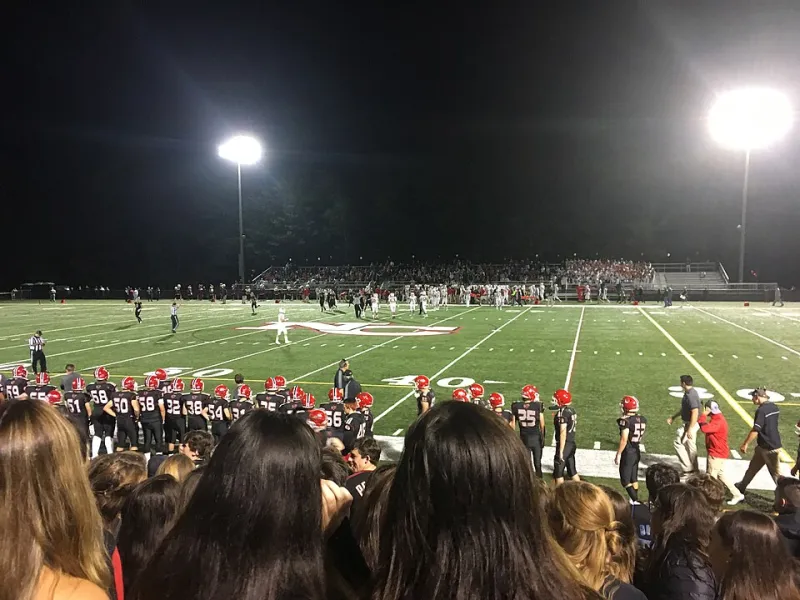
Photo: Redditaddict69, CC BY-SA 4.0, via Wikimedia Commons
There's something about high school football that hits different. It's not the million-dollar contracts or the ESPN analysts breaking down film at halftime. It's the smell of the grass, the band playing in the stands, the announcer who's been calling games at that stadium for 25 years. It's community in its purest form. And for a huge chunk of America, Sinclair's local stations and regional sports networks are the reason that experience makes it onto a screen at all.
If you've ever tried to track down a broadcast of your hometown's Friday night game — especially after ditching cable — you know it can feel like solving a puzzle without all the pieces. This guide is here to hand you the rest of those pieces.
Why Sinclair Took High School Football Seriously
Let's start with the "why" before we get into the "how." National sports networks aren't interested in your local 5A playoff matchup. They've got NFL Sunday, college conference games, and international soccer to fill their schedules. That leaves a massive gap — and local broadcasters have always been the ones to fill it.
Sinclair figured out early that high school sports coverage isn't just a public service — it's also a genuine audience driver. Parents, grandparents, alumni, and community members tune in for these games in numbers that would surprise you. A Friday night game featuring two rival schools in a mid-sized market can pull viewership that competes respectably with syndicated programming.
Beyond the ratings math, there's a strategic reason local sports matter deeply to Sinclair's station identity. When a broadcaster shows up for your community's big moments — the playoff run, the rivalry game, the championship — that broadcaster earns a kind of loyalty that no national network can buy. It's a long game, and Sinclair has been playing it.
Where the Games Actually Air
High school football coverage on Sinclair platforms varies quite a bit by region, so the first thing to understand is that there's no single national answer here. Coverage is organized at the local and regional level, which means your experience in Texas is going to look different from someone's experience in Ohio or the Pacific Northwest.
Local Sinclair-affiliated stations are your primary destination. Many Sinclair ABC, Fox, and MyNetworkTV affiliates air high school football highlights, weekly recap shows, and — in strong football markets — live game broadcasts. Check your local station's programming schedule, particularly on Friday evenings and Saturday mornings.
Regional sports networks have historically played a big role here too. While the RSN landscape has shifted significantly in recent years (more on that in a second), regional sports content produced in partnership with Sinclair stations often includes prep sports packages, especially during football season.
Local station websites and apps frequently host streaming replays of games that aired on-air, plus supplemental content like coach interviews and player spotlights that didn't make the broadcast cut. If you missed a Friday game, the station's website is the first place to check by Saturday morning.
Streaming Options for Cord-Cutters
This is where a lot of people get stuck, so let's walk through it clearly.
Over-the-air antenna: If your local Sinclair station airs the game on its main broadcast channel, a digital antenna picks it up for free. No subscription, no login, no buffering. For games that air on the primary network channel, this is genuinely the easiest and most reliable solution. Antennas are cheap, setup takes about 20 minutes, and the picture quality on a modern TV is excellent.
Station streaming apps and websites: Most Sinclair local stations offer a free live stream of their broadcast through their own website or app. Quality varies, but during game broadcasts, these streams are generally reliable. Search for your station's call letters plus "live stream" to find the right page. Some stations use platforms like Haystack News or their own custom apps.
Local news streaming apps: Apps like NewsON aggregate local station streams from across the country and are available on Roku, Fire TV, Apple TV, and mobile devices. If your local Sinclair station is in their lineup, you can watch live coverage — including any sports programming — through the app for free.
YouTube: Several Sinclair local stations maintain active YouTube channels where they post game highlights, recap segments, and sometimes full replays of featured matchups. Subscribe to your local station's channel and turn on notifications before the season kicks off.
Locast successor services and virtual MVPDs: Some virtual pay-TV services (like DirecTV Stream or Fubo) carry local Sinclair stations in select markets. If you're already subscribed to one of these for other reasons, your local station — and any sports programming it carries — is likely included.
Finding Your Specific Games: A Step-by-Step Approach
Okay, your school's playing this Friday. Here's how to figure out if it's on and where to watch.
-
Start with your local Sinclair station's website. Look for a sports section or a weekly programming schedule. Many stations publish their Friday night game plans by Wednesday or Thursday.
-
Follow the station on social media. Facebook and X/Twitter are where stations announce game coverage, streaming links, and any last-minute schedule changes. This is especially useful when weather or rescheduling affects the broadcast.
-
Call the station's sports department. Seriously — local TV sports desks are staffed by real people who are usually happy to answer questions about coverage. A quick phone call can save you a lot of searching.
-
Check the school's athletic department page. Many high schools now partner with streaming platforms like NFHS Network or their own YouTube channels for games that aren't picked up by local TV. Your local Sinclair station might not carry every game, but the school's own stream is often available as a fallback.
-
Look for a local prep sports show. Many Sinclair stations run weekly high school sports recap shows — think "Friday Night Football" or similar branded segments — that air on Saturday mornings. Even if the live game wasn't broadcast, the highlights often are.
The Bigger Picture: Why Local Sports Coverage Still Matters
It's easy to take for granted that someone will cover the local team. But the economics of local broadcasting are genuinely challenging, and the decision to dedicate crew, equipment, and airtime to a high school game is not a trivial one. When Sinclair stations show up for these games, they're making a choice to prioritize community connection over cheaper programming alternatives.
For viewers, that means something real. It means a kid who makes a game-winning play gets to see themselves on the local news. It means grandparents who can't make the drive on a cold November night can still watch from home. It means the community gets to celebrate together, even across different living rooms.
That's not nothing. In fact, in a media landscape increasingly dominated by global platforms optimizing for global audiences, it might be one of the most valuable things local broadcasting still does.
So before the season kicks off, take 15 minutes to figure out your local Sinclair station's sports coverage setup. Find the stream, follow the social accounts, bookmark the website. Friday night football is too good to miss because you couldn't find the channel.